Terraform Lab 03 — Routes, Firewall Rules & Cloud NAT
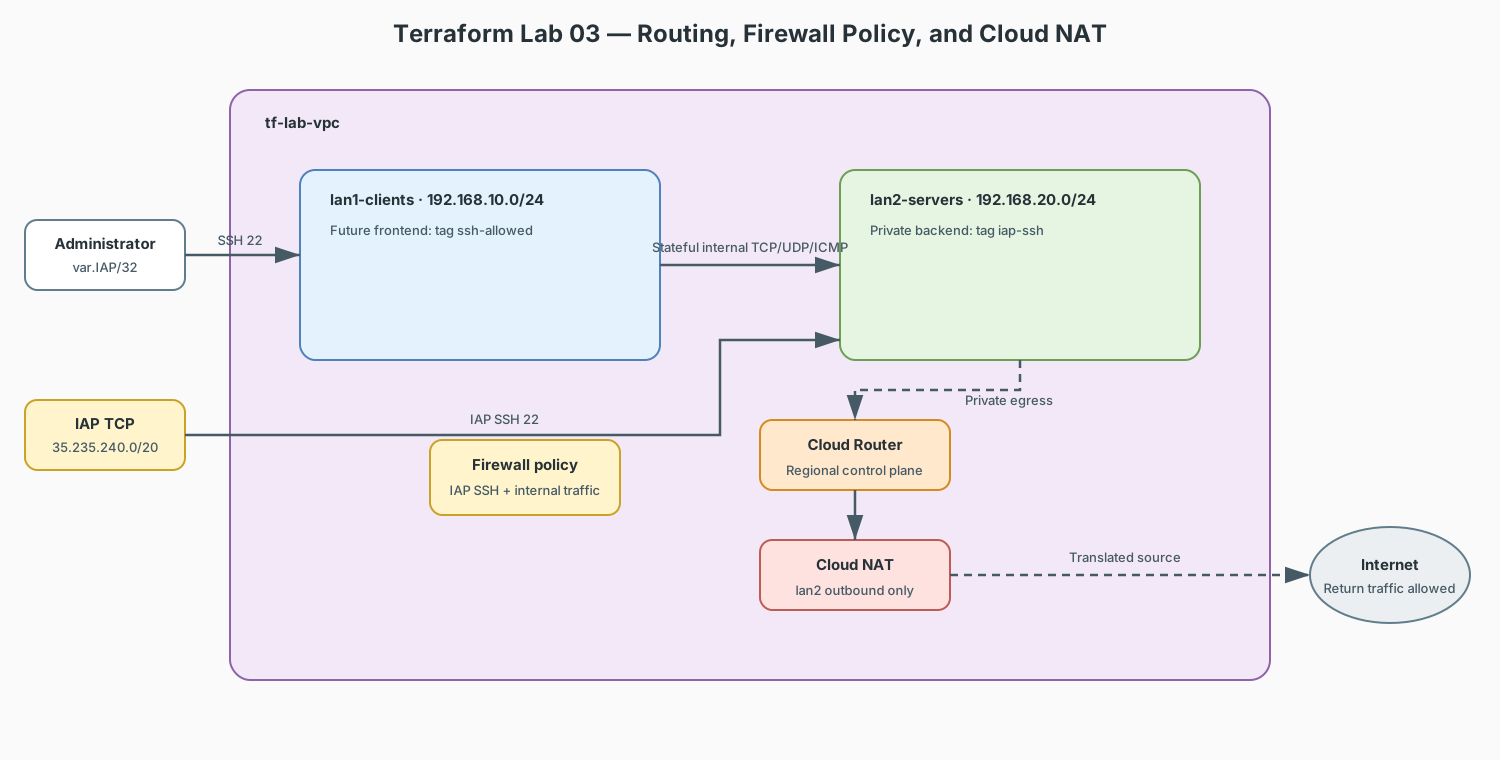
Your Packet Tracer labs 3 and 6 configured NAT/PAT overload and ACLs on Router0 so private clients could reach the internet. In GCP, those map to three separate resources — and unlike PT, you declare each piece explicitly.
Lab contract
| Item | This lab |
|---|---|
| Execution model | Cumulative; append to the Lab 02 working directory and state |
| Starts from | lab_vpc, lan1_clients, and lan2_servers from Lab 02 |
| Adds | Cloud Router, Cloud NAT, and narrowly scoped ingress rules |
| Keep after completion | Yes; Lab 04 attaches VMs and private DNS to these resources |
| Next | Lab 04 — VMs & Private DNS |
Resource summary
| Terraform block | Count | Purpose | Depends on |
|---|---|---|---|
google_compute_router.nat_router |
1 | Regional control-plane resource required by Cloud NAT | Lab 02 VPC |
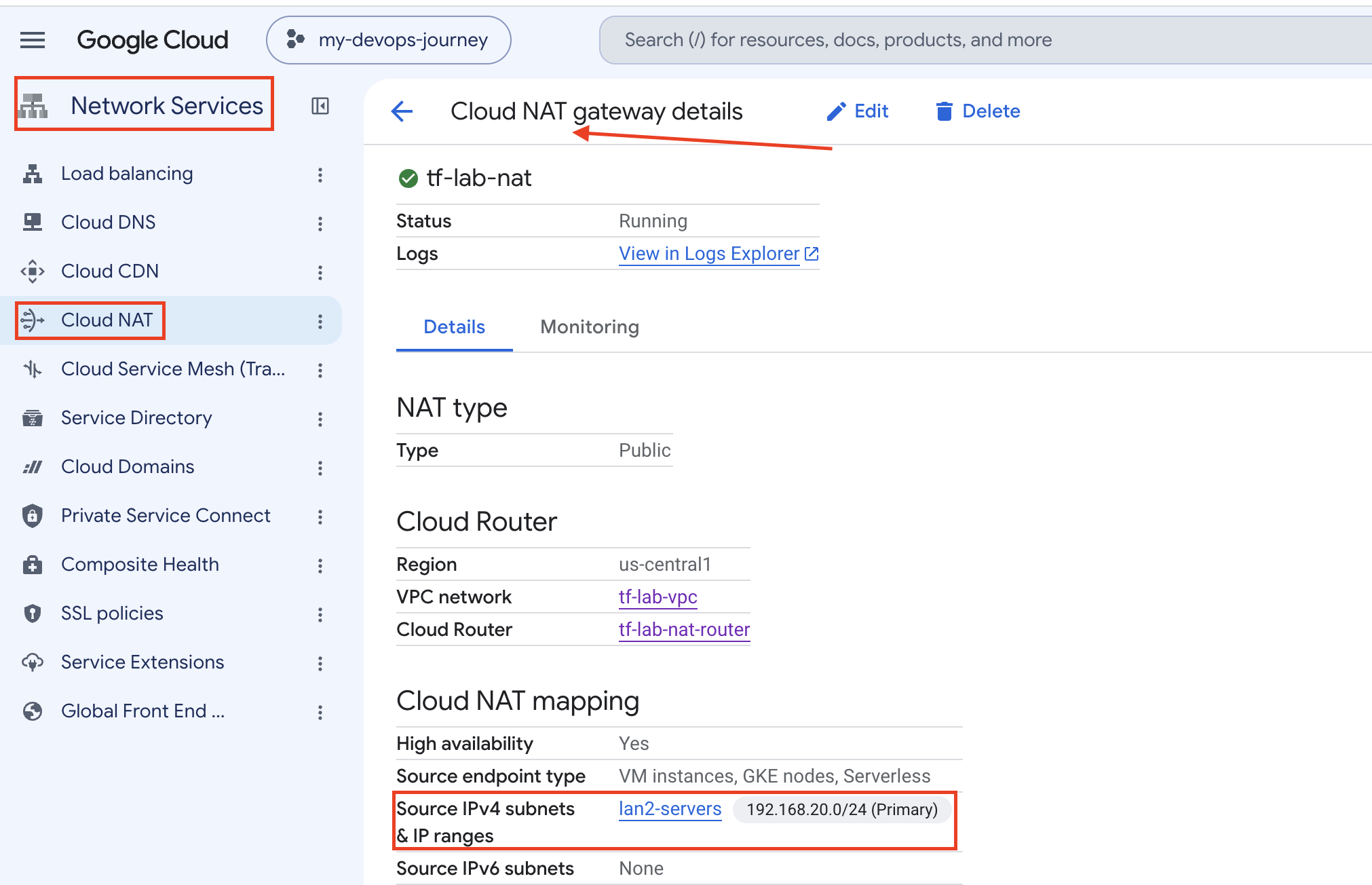
google_compute_router_nat.nat |
1 | Outbound translation for the private server subnet | Router and lan2_servers |
google_compute_firewall.allow_iap_ssh |
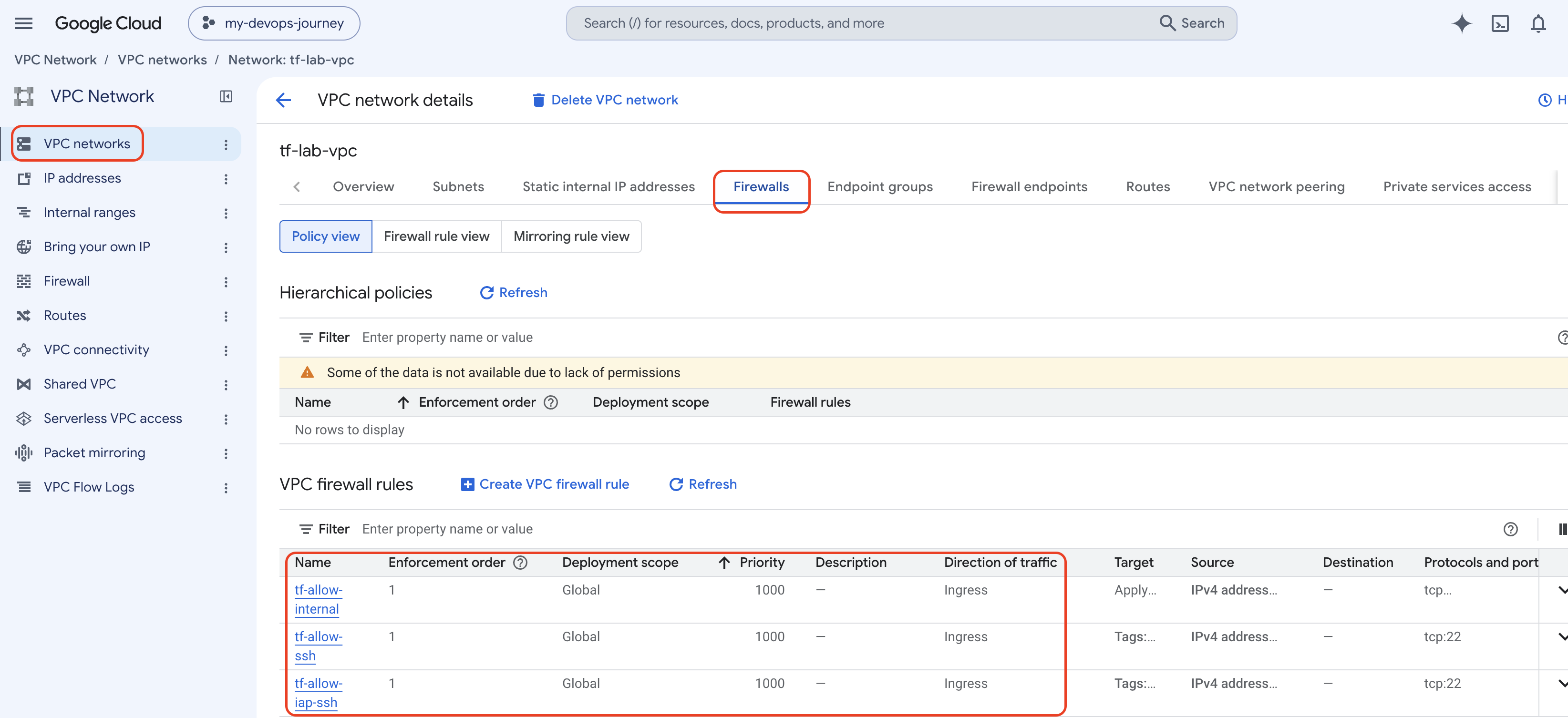
1 | SSH to explicitly tagged VMs through Identity-Aware Proxy | Lab 02 VPC |
google_compute_firewall.allow_iap_ssh |
1 | IAP TCP forwarding to explicitly tagged private VMs | Lab 02 VPC |
google_compute_firewall.allow_internal |
1 | TCP, UDP, and ICMP between the two lab CIDRs | Lab 02 VPC |
Concept Map
| Packet Tracer | GCP / Terraform |
|---|---|
ip nat inside/outside + PAT overload |
google_compute_router + google_compute_router_nat (Cloud NAT) |
access-list 1 permit ... |
google_compute_firewall rules |
ip route 0.0.0.0 0.0.0.0 <next-hop> |
google_compute_route (usually unnecessary — defaults exist) |
Cost
Cloud Router + NAT is the first resource in this track that can cost
real money (~$1/day idle). terraform destroy when done. Free-tier
e2-micro VMs used later are effectively free.
The scenario
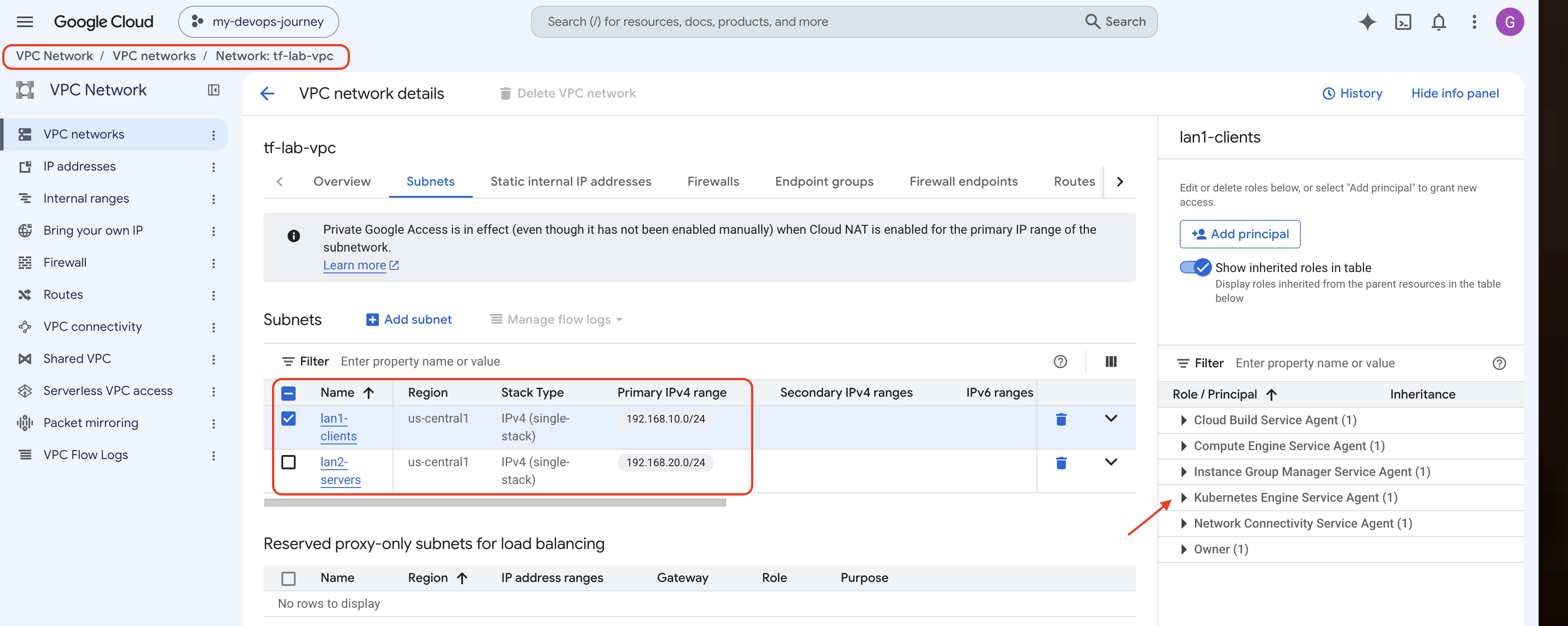
The lan2-servers subnet (from lab 02) will host VMs with no public IP.
Like your PT clients behind PAT, they need outbound internet for updates —
via Cloud NAT. And like your ACLs, we lock ingress down with firewall rules.
main.tf (append to lab 02's config)
# --- Cloud NAT: the cloud version of "ip nat inside source list ... overload" ---

resource "google_compute_router" "nat_router" {
  name    = "tf-lab-nat-router"
  network = google_compute_network.lab_vpc.id
  region  = var.region
}

resource "google_compute_router_nat" "nat" {
  name   = "tf-lab-nat"
  router = google_compute_router.nat_router.name
  region = var.region

  nat_ip_allocate_option = "AUTO_ONLY"   # PAT behavior: shared ephemeral IPs

  source_subnetwork_ip_ranges_to_nat = "LIST_OF_SUBNETWORKS"

  subnetwork {
    name                    = google_compute_subnetwork.lan2_servers.id
    source_ip_ranges_to_nat = ["ALL_IP_RANGES"]
  }
}

# --- Firewall rules: the cloud version of ACLs ---

# Allow SSH through Identity-Aware Proxy to explicitly tagged instances
resource "google_compute_firewall" "allow_iap_ssh" {
  name    = "tf-allow-iap-ssh"
  network = google_compute_network.lab_vpc.id

  direction     = "INGRESS"
  source_ranges = ["35.235.240.0/20"]

  allow {
    protocol = "tcp"
    ports    = ["22"]
  }

  target_tags = ["ssh-allowed", "iap-ssh"]
}

resource "google_compute_firewall" "allow_internal" {
  name    = "tf-allow-internal"
  network = google_compute_network.lab_vpc.id

  direction     = "INGRESS"
  source_ranges = ["192.168.10.0/24", "192.168.20.0/24"]

  allow {
    protocol = "tcp"
  }

  allow {
    protocol = "udp"
  }

  allow {
    protocol = "icmp"
  }
}
Apply & Verify
gcloud services enable iap.googleapis.com

terraform apply \
  -var="project_id=YOUR_PROJECT_ID"

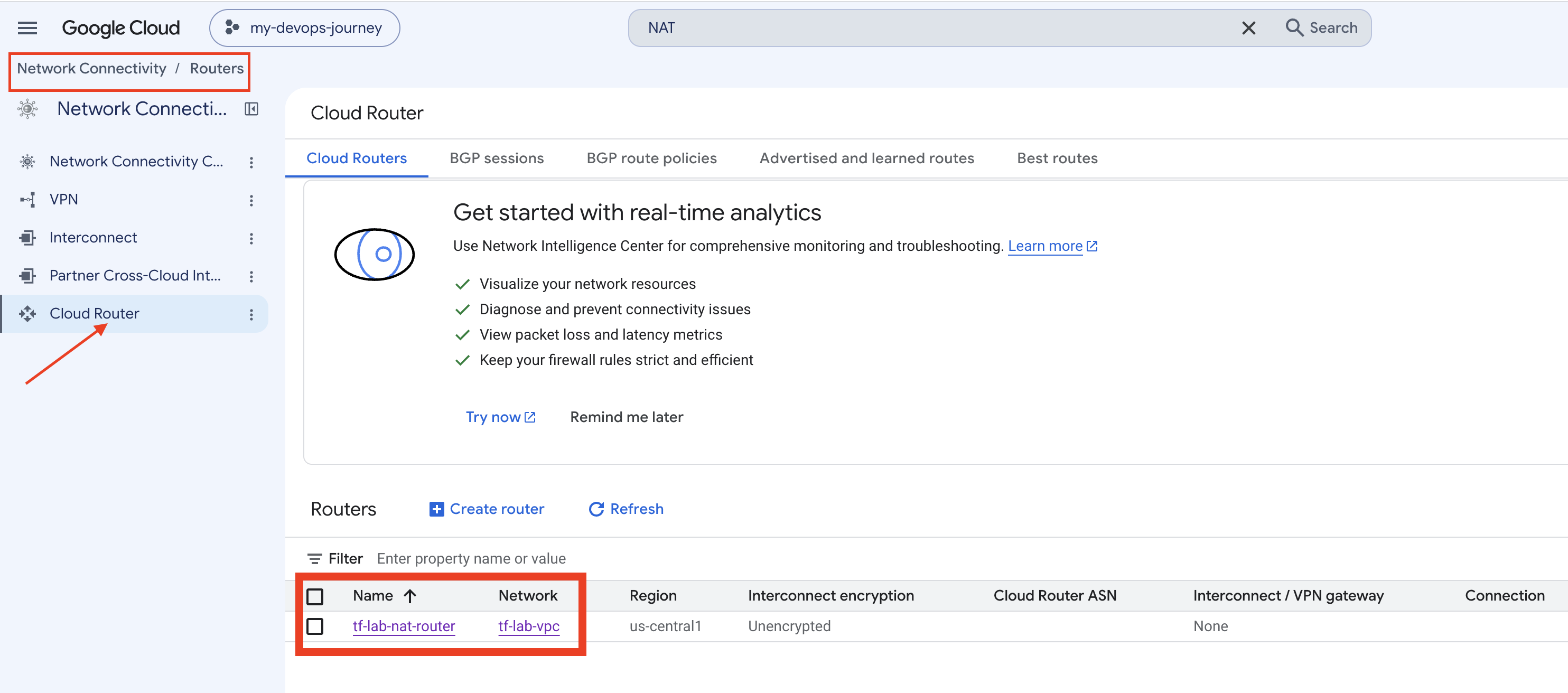
gcloud compute routers describe tf-lab-nat-router --region=us-central1
gcloud compute firewall-rules list --filter="network=tf-lab-vpc"
What to notice
- NAT is two resources, not one command. PT collapsed NAT into a few
IOS lines; cloud splits it into router (control plane) and nat
(the translation service).
AUTO_ONLY+ALL_IP_RANGES≈ PAT overload. - Firewall rules are stateful by default — like PT's reflexive
behavior once NAT/established sessions are involved. Return traffic is
automatically allowed; no
permit ip any any establishedneeded. target_tagsselect which VMs a rule applies to — the equivalent of applying an ACL to a specific interface.- Implied deny-all: GCP denies unmatched ingress by default, exactly
like the implicit
deny anyat the end of a Cisco ACL. - Notice there is no
google_compute_routefor the default route — GCP gives every VPC a0.0.0.0/0 → internet gatewayroute for free.
Exercises
- Remove
icmpfromallow_internal,plan, predict what breaks (hint: ping between subnets), thenapplyand reason about it. - Change
source_rangesofallow_sshto0.0.0.0/0— runplanand observe how easy it is to see a security mistake as a diff. Revert.
Checklist before lab 04
- Cloud NAT exists and is bound to
lan2-serversonly - Direct SSH is allowed only from your IP to
ssh-allowedVMs - IAP SSH is allowed only from Google's IAP TCP range to
iap-sshVMs - You can name the PT equivalent of each resource